AirPods Max 2 Battery Drain Explained: 7 Fast Fixes
If your AirPods Max 2 battery drain feels extreme—like dropping to 1% overnight, dying mid-commute, or draining even in the Smart Case—you’re not imagining it. In 2026, most “mystery drain” cases come down to a few repeat causes: low-power mode not triggering, firmware bugs, sensor activity, or settings that quietly chew through power.
This guide focuses on troubleshooting solutions you can do in minutes, plus clear signs that it’s time to stop tweaking and get service.
Quick summary (read this first)
Most fast drain on AirPods Max 2 happens because they don’t enter low-power mode (often from neck-wearing, motion, or not using the Smart Case), or because a firmware glitch blocks proper sleep. Start by casing them immediately, then update firmware, then do a 15-second reset. If drain still persists after 48 hours of normal use, you may be looking at a battery or sensor fault.
Why AirPods Max 2 battery drain happens (the simple truth)
AirPods Max 2 still don’t have a true power button. Instead, they use sleep states. So, if something keeps them “awake,” the battery drops fast—even if you swear you aren’t using them.
- Low-power mode: AirPods Max 2 typically enter low-power after about 5 minutes idle.
- Ultra-low-power mode: They enter a deeper sleep after about 72 hours idle, or faster if they’re in the Smart Case.
- Smart Case effect: The Smart Case should trigger low-power immediately, and help them reach ultra-low-power much sooner (often around 18 hours in the case).
Apple outlines battery behavior and expectations across its resources, including guidance on battery performance here: Apple’s battery performance tips.
AirPods Max 2 battery drain troubleshooting: do this in order
If you want the fastest win, follow this order. Each step is quick, and you’ll know whether it helped within a day.
Step 1) Use the Smart Case immediately (don’t “neck park” them)
First, stop leaving them around your neck between meetings or errands. That’s one of the most common drain triggers because motion sensors and wear detection can keep the headphones “active.”
Instead, the moment you’re done listening, put AirPods Max 2 into the Smart Case. The case’s magnets help signal that they’re inactive, which is exactly what you want if you’re chasing max 2 power saving.
If you’re seeing overnight drain, do a simple test tonight:
- Charge to ~80–100%.
- Put them in the Smart Case.
- Leave them untouched for 8–10 hours.
- Check battery in the morning.
If they still drop drastically, move to Step 2 right away.
Step 2) Confirm firmware is current (this fixes real “case drain” bugs)
Next, check firmware. Several owners have reported Smart Case drain issues that improved after updates, especially early in the Max 2 lifecycle. What Hi-Fi? also covered the issue and suggested update-related fixes: What Hi-Fi? on fixing AirPods Max battery drain.
To check firmware on iPhone:
- Connect AirPods Max 2 to your iPhone (Bluetooth on).
- Go to Settings > General > About.
- Scroll down and tap AirPods.
- Look for the Firmware Version.
Firmware updates install automatically, but they’re picky. For best results, keep the headphones near your iPhone, connected, and charging for a while (many users also play audio briefly, then leave them idle).
Step 3) Do the 15-second reset (it fixes “stuck at 1%” and ghost drain)
Now for the highest success-rate fix when drain feels “impossible”: reset them. This clears pairing glitches, sleep-state bugs, and weird sensor loops.
Reset steps:
- Press and hold Noise Control + Digital Crown.
- Hold for about 15 seconds.
- Keep holding until the LED flashes (amber, then white).
- Re-pair with your iPhone.
Afterward, test standby again overnight using the Smart Case. If your drop goes from “90% to 1%” down to something normal (like a few percent), you’ve likely solved it.
Step 4) Turn off the biggest battery hogs (you can turn them back on later)
If battery is draining during use (not just standby), settings matter. You don’t have to live with “barebones mode” forever, but it’s the fastest way to isolate the culprit.
- Spatial Audio: Turn it off for a day. It can increase processing and power use.
- Active Noise Cancellation (ANC): If you don’t need it, switch to Transparency or Off.
- Automatic Ear Detection: Disable temporarily to see if sensors are misfiring.
- Volume: Keep it around 50% for a real-world bump in runtime.
Apple advertises around 20 hours at 50% volume with ANC on (varies by use). If you’re getting far less, one of these toggles (or a bug) may be at play. For official specs, see: AirPods Max specs on Apple.
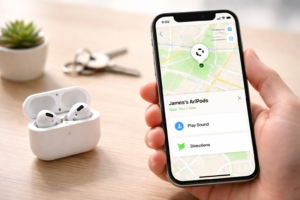
Step 5) Disable Find My temporarily (great for standby testing)
Find My is useful, but it can also keep background behavior alive. If your goal is pure battery optimization, disable Find My for 24–48 hours as a test. If standby drain improves sharply, you’ve found a tradeoff you can control.
Do this only if you’re comfortable losing tracking features during the test window.
Step 6) Enable Optimized Battery Charging (protects long-term health)
Optimized Battery Charging won’t usually fix a sudden drain bug. However, it can reduce long-term wear by learning your routine and holding at about 80% until you need a full charge.
On iPhone, open your AirPods Max settings (while connected) and look for battery-related options. Then enable Optimized Battery Charging if available.
Why it matters: if you constantly keep them at 100% on the charger, the battery can age faster. And once battery health drops, every drain problem feels worse.
Step 7) Fix your storage habits (this prevents repeat drain)
Finally, lock in habits that stop “phantom drain” from returning.
- Always case them when you’re done—especially at home.
- Don’t store them on a moving surface (like a backpack that keeps shifting). Motion can keep sensors active.
- Avoid full drains. Deep discharges can accelerate wear.
- For long storage: leave them around 50% charge, powered down (Smart Case), and stored in a cool, dry place.
A fast “what’s causing my drain?” flowchart
Use this quick decision path to stop guessing.
- Drain happens mainly overnight?
- Were they in the Smart Case and untouched? If no, case them and retest.
- If yes, check firmware, then do the 15-second reset.
- If it still happens, suspect hardware/sensor fault or battery aging.
- Drain happens mainly while listening?
- Turn off Spatial Audio + switch ANC off for a day.
- Lower volume to ~50%.
- If runtime is still far below expectations, suspect battery wear.
- Drain happens when they hang around your neck?
- That’s likely the cause. Case them instead and compare results.
Background & context: why the Smart Case matters so much
With many headphones, you can just press and hold a power button. AirPods Max 2 doesn’t work that way. So, the Smart Case isn’t a “nice-to-have accessory.” In practice, it acts like the closest thing to an off switch.
In other words: if you hate battery drain, treating the Smart Case like optional usually backfires. And if your case magnets or alignment feel “off,” you can also get inconsistent sleep behavior.
For broader troubleshooting patterns and common drain causes across AirPods models, MacRumors has also documented user-reported fixes here: MacRumors guide to AirPods battery drain fixes.
Expert perspectives: quick fixes vs. real repairs
Here’s the most balanced way to look at it.
Viewpoint 1: “It’s usually software or sensors”
This camp is often right when drain appears suddenly after a pairing change, iOS update, or weeks of normal performance. In those cases, firmware updates and the 15-second reset frequently bring standby drain back to normal.
Viewpoint 2: “If it’s older, it might be the battery”
If your AirPods Max 2 is heavily used, stored at 100% constantly, or frequently drained to 0%, battery capacity can drop over time. Then even perfect sleep behavior won’t feel “good enough.”
Viewpoint 3: “DIY battery replacement is cheaper—but risky”
DIY can cost far less than official service, but it requires patience and comfort with delicate hardware. If you’re out of warranty and you enjoy repairs, iFixit’s guide is a solid reference point: iFixit AirPods Max battery replacement guide.
However, if you still have coverage (or you rely on these daily), official service can be the stress-free option.
What happens next (and when to escalate to Apple)
If you did Steps 1–7 and you still see extreme drain, don’t keep repeating the same loop for weeks. Instead, escalate based on what you observe.
- Escalate now if the battery drops massively in the Smart Case after a reset and firmware check.
- Escalate soon if your listening time is far below expected even with ANC off and moderate volume.
- Escalate immediately if you notice overheating, swelling, or charging instability.
Also, consider the cost logic: if you’re weighing a pricey out-of-warranty repair versus putting that money toward a replacement, write down what you actually need (standby reliability, commute runtime, and long-term durability). That decision gets clearer fast when you see the numbers.
FAQs
Why do my AirPods Max 2 drain battery overnight in the Smart Case?
Most often, a firmware glitch or sleep-state bug prevents proper low-power behavior. First, confirm firmware is current. Then do the 15-second reset (Noise Control + Digital Crown). If the problem continues for multiple nights, you may have a hardware issue that needs service.
How do I put AirPods Max 2 in low-power mode manually?
There’s no power button. The fastest way is to place them in the Smart Case, which should trigger low-power right away. Otherwise, leave them idle and untouched for a few minutes, and they should enter low-power on their own.
Can I turn off AirPods Max 2 completely?
No, not in the traditional sense. They rely on low-power and ultra-low-power modes. To get the deepest sleep behavior, keep them in the Smart Case and don’t move them.
Does disabling ANC save battery on AirPods Max 2?
Yes. ANC uses extra processing. If you need longer runtime, switching ANC off (or using Transparency only when needed) can help noticeably.
What settings should I change first for battery optimization?
Start with: turn off Spatial Audio, reduce volume to about 50%, and test with ANC off. Then disable Automatic Ear Detection for a day to see if sensors are causing wake-ups.
How do I check AirPods Max 2 battery health?
Apple doesn’t provide a simple “battery health percentage” like iPhone. Instead, watch for signals: steep drops, reduced total listening time, and unreliable charging. If your runtime has fallen far below normal, battery wear becomes a likely cause.
Is battery replacement worth it?
If you’re out of warranty and the battery has clearly degraded, replacement can restore usability. DIY is cheaper but risky and can void coverage. Official service costs more but reduces the chance of accidental damage.
What’s the fastest real-world fix if I need these working today?
Put them in the Smart Case whenever you’re not listening, turn off Spatial Audio, switch ANC off, lower volume, and do the 15-second reset. That combination fixes a large share of “sudden drain” scenarios.
Conclusion: stop the drain first, then fine-tune
AirPods Max 2 can deliver great battery life, but only if they actually enter low-power correctly. So, start with the basics: Smart Case use, firmware check, and the 15-second reset. Then, fine-tune settings like ANC, Spatial Audio, and ear detection for the best balance of sound and runtime.
If this helped, share it with someone who’s tired of dead headphones. Also, what drain pattern are you seeing—overnight in the case, or during listening? Drop a comment with your details, and bookmark this page for future updates.