AirPods Max 2 Firmware Issues Explained: 7 Fixes for 8E258
AirPods Max 2 firmware issues are showing up in a familiar way in 2026: your headphones worked fine, you updated (or tried to), and now something feels “off.” Maybe they won’t pair, audio cuts out on your commute, or the buttons suddenly lag. Annoying, especially at this price.
Here’s the good news: most AirPods Max 2 update problems aren’t permanent damage. Instead, they’re usually a stuck firmware install, a pairing glitch, or a device-side Bluetooth problem. Below, you’ll find the fastest fixes first, plus clear signs it’s time to stop troubleshooting and call Apple.
Quick summary (read this first)
The latest widely reported AirPods Max 2 firmware is 8E258, and many complaints center on updates that won’t complete or odd behavior after updating. In most cases, you can fix it by charging the headphones, keeping them in Bluetooth range, restarting, then doing a full forget-and-repair cycle. If you still get one-sided audio or dead controls after a factory reset, you should contact Apple Support.
What’s the latest AirPods Max 2 firmware in 2026?
As of May 2026, the latest widely reported version is 8E258, as covered by MacRumors’ report on AirPods Max 2 firmware 8E258. Apple typically describes AirPods firmware updates in broad terms, such as bug fixes and improvements, without detailed public release notes.
Because of that, the real-world experience matters. People mainly report connectivity and stability headaches, not a single clearly confirmed “bad firmware” event. In other words, the update might be fine, but the update process can be fragile.
What Apple says about AirPods firmware updates (and why they feel stuck)
Apple designs AirPods firmware updates to install automatically in the background. You can’t tap a visible “Update” button like you can with iOS. So, the process often feels random, even when it’s working.
According to Apple’s official AirPods firmware update instructions, updates depend on basics that are easy to miss: power, Bluetooth range, and a connected Apple device with internet access. As a result, many “AirPods Max 2 software bug” reports are actually update conditions that never lined up long enough.
How to check your AirPods Max 2 firmware version
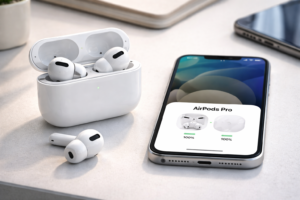
- On iPhone/iPad: Settings > Bluetooth > tap the i next to your AirPods Max 2 > look for Firmware Version.
- On Mac: System Settings > Bluetooth > select AirPods Max 2 to view details (menus vary by macOS version).
Common AirPods Max 2 firmware issues after 8E258
Not every glitch points to firmware. Still, these are the symptoms users most often mention after updating (or while the update is “in progress”). If one of these sounds like your day-to-day use, start with the fix flow in the next section.
Symptom checklist (plain English)
- Won’t update: Firmware version never changes, even after hours on power.
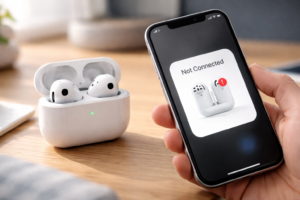
- Pairing failures: They don’t show up in Bluetooth, or pairing loops forever.
- Random disconnects: Audio drops for a second, especially when switching devices.
- One side stops working: Left or right audio goes silent, sometimes after reconnecting.
- Static or crackle: Brief bursts during calls, commuting, or when ANC is on.
- Controls don’t respond: Digital Crown or noise control button lags or does nothing.
- Mic/call weirdness: You sound muffled, or the mic cuts out mid-call.
Now, here’s the key question: are you dealing with an update failure, a pairing problem, or a true firmware bug? The troubleshooting order below helps you find out quickly without wasting an afternoon.
AirPods Max 2 firmware issues: 7 fixes that work
Start at Fix #1 and move down. Also, test after each step for at least a few minutes. That way, you’ll know what actually solved it.
Fix #1: Do the “boring” checks (they solve more than you’d think)
First, confirm the basics. They matter because AirPods firmware updates rely on stable conditions.
- Charge your AirPods Max 2 for at least 30 minutes.
- Keep them within a few feet of your iPhone/iPad/Mac.
- Make sure your Apple device has Wi‑Fi on (not just cellular).
- Disable Low Power Mode on your iPhone temporarily, if it’s on.
Then wait. Yes, really. Many updates complete silently when you stop forcing it.
Fix #2: Restart Bluetooth (on your phone or Mac) to clear a stale connection
Next, toggle Bluetooth off and on. This sounds simple, but it often clears a “ghost” connection that blocks re-pairing.
- iPhone/iPad: Settings > Bluetooth > toggle off, wait 10 seconds, toggle on.
- Mac: System Settings > Bluetooth > toggle off, wait 10 seconds, toggle on.
Afterward, try playing audio for two minutes. If the cutouts stop, you likely had a link-quality issue, not a firmware problem.
Fix #3: Restart (soft reset) your AirPods Max 2
When controls lag or audio glitches start right after an update attempt, a restart can clear temporary errors. It’s also low risk.
Use Apple’s official AirPods Max support resources if you want the exact button sequence for your model: Apple AirPods Max support overview.
Then test three things: audio in both ears, ANC/transparency switching, and the Digital Crown volume response. If all three feel normal, stop here.
Fix #4: “Forget this device” and re-pair from scratch
If your AirPods Max 2 won’t connect reliably, this is the best next step. It clears corrupted pairing data that a firmware transition can expose.
- On iPhone/iPad: Settings > Bluetooth > tap the i next to AirPods Max 2 > tap Forget This Device.
- Restart your iPhone (this helps more than people expect).
- Put AirPods Max 2 in pairing mode and reconnect.
Importantly, don’t test with ten devices yet. For now, connect to one device and confirm stability first.
Fix #5: Try a “clean” firmware update setup (power + range + time)
If the firmware version refuses to move to 8E258, set up the most reliable conditions Apple expects:
- Connect AirPods Max 2 to USB‑C power.
- Keep your iPhone/iPad/Mac on Wi‑Fi.
- Leave the headphones near the device for 30–60 minutes.
Meanwhile, avoid switching audio sources. Switching between your Mac and iPhone can interrupt the quiet background process.
Fix #6: Update your iPhone/iPad/Mac (device-side fixes matter)
Sometimes the headphones aren’t the problem. Your Apple device handles parts of the update and connection stack.
- Install the latest iOS/iPadOS/macOS update available for your device.
- Then reboot the device and test again.
- If you use a VPN, temporarily disable it and retry the update window.
Also, check that your AirPods Max features still match expected behavior on the official product page: Apple AirPods Max product page.
Fix #7: Test on another Apple device to separate firmware bugs from device problems
This step saves time. If your AirPods Max 2 works perfectly on a different iPhone or Mac, you likely have a device-side Bluetooth or settings issue, not a true AirPods Max 2 software bug.
- Pair the headphones to another Apple device (friend’s iPhone, work Mac, or iPad).
- Play music and take a short call.
- Try ANC and transparency toggles.
On the other hand, if the problem follows the headphones everywhere (especially one-sided audio or dead controls), you’re closer to a hardware or firmware-level fault.
Background: why 8E258 can feel “worse,” even if it isn’t
AirPods firmware updates often coincide with other changes you made around the same time. For example, you might have updated your iPhone, paired a new MacBook, or started using them on a new commute route with more wireless interference.
Also, AirPods Max frequently switch between devices tied to your Apple ID. That’s great when it works. However, when pairing data gets messy, the handoff can look like random disconnects or a “broken” update.
If you want to compare notes with other owners, you can scan user experiences in this Apple Support Community troubleshooting thread. Keep expectations realistic, though. Community reports help spot patterns, but they don’t prove a root cause.
Expert perspectives: two realistic viewpoints on these issues
Viewpoint 1: “Most problems are install conditions, not bad firmware”
Many technicians and power users point out that AirPods firmware installs depend on power, proximity, and time. So, if you repeatedly open and close the Bluetooth menu, swap devices, or let the battery run low, you can unintentionally block the update. From this view, the best “AirPods Max 2 fix” is simply setting the right conditions and waiting.
Viewpoint 2: “Some bugs are real, but they look like Bluetooth flakiness”
On the other hand, users describe consistent symptoms after updating, like control lag or recurring disconnects during calls. Those can be genuine software edge cases, especially when new firmware hits a wide mix of devices and iOS/macOS versions. In that scenario, a reset and re-pair often helps, but a follow-up patch from Apple may ultimately resolve it.
Overall, both can be true: the update can be safe, yet the path to get there can trigger frustrating behavior.
When it’s likely hardware (and you should stop troubleshooting)
Software troubleshooting has a limit. If you’ve done a full forget-and-repair and still see these signs, treat it as a support case:
- One-sided audio that persists across multiple devices
- Buttons unresponsive even after resets
- Constant static that happens in every environment
- Won’t enter pairing mode or won’t show up on any device
- Frequent drops even when you’re sitting next to your phone
At that point, contact Apple Support and describe what you already tried. You’ll move faster if you can say, “I restarted, forgot and re-paired, tested on another device, and confirmed the firmware version.”
What happens next (and what you should do today)
In the short term, the best move is practical: confirm your firmware version, then run the fixes in order. If you rely on your AirPods Max 2 for calls, commuting, or ANC in noisy places, don’t wait days while the issue “maybe” clears.
Also, keep an eye out for future firmware revisions after 8E258. Apple often rolls out quiet follow-ups when enough users report similar behavior.
FAQs
What is the latest AirPods Max 2 firmware version?
The latest widely reported AirPods Max 2 firmware is 8E258. Apple rarely publishes detailed public release notes for AirPods firmware.
Why won’t my AirPods Max 2 update automatically?
Most update failures happen when the headphones aren’t on power, aren’t close enough over Bluetooth, or the paired device isn’t on Wi‑Fi. Also, outdated iOS/macOS can block the update process.
How do I check my AirPods Max 2 firmware version?
On iPhone/iPad, go to Settings > Bluetooth, tap the i next to AirPods Max 2, and look for Firmware Version. On Mac, check Bluetooth device details in System Settings.
Is firmware 8E258 safe to install?
In general, yes. Apple ships firmware updates to improve stability and compatibility. The more common headache is an update that won’t complete, not the update itself.
What should I do if one side stops working after the update?
First restart the headphones. Next, forget the device and re-pair. Then test on another Apple device. If one-sided audio follows the headphones, contact Apple Support.
What’s the difference between a restart and a factory reset?
A restart clears temporary glitches. A factory reset (plus forgetting the device) wipes pairing state and forces a clean setup, which often fixes stubborn connection problems.
Why do my AirPods Max 2 keep disconnecting when I switch between Mac and iPhone?
Fast device switching can expose pairing conflicts, especially after a firmware change. Forget-and-repair, then test stability on one device before adding the second back.
When should I contact Apple Support?
If you still see one-sided audio, unresponsive controls, or repeated disconnects after a full forget-and-repair and a cross-device test, contact Apple Support.
Conclusion
AirPods Max 2 firmware issues can feel scary, but most of the time they come down to an update that didn’t finish cleanly or a pairing state that needs a reset. Start with power and proximity, work through the 7 fixes, and test after each one. You’ll usually get your headphones back to normal without a service visit.
If this helped, share it with someone who’s stuck on 8E258. Also, what symptom are you seeing—pairing loops, one-sided audio, or control lag? Drop a comment below and tell us what worked, and bookmark this page for future updates.